Lightburn Software For Laser Engraving

Unleashing Creativity: A Chat About LightBurn Software for Laser Engraving Imagine you're at a bustling farmers market, eyeing that beautifully crafted wooden spoon you just...
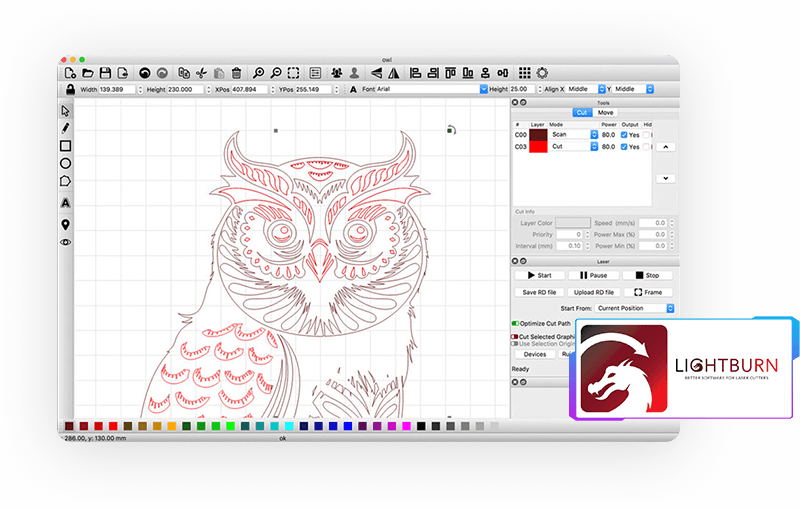
Unleashing Creativity: A Chat About LightBurn Software for Laser Engraving
Imagine you're at a bustling farmers market, eyeing that beautifully crafted wooden spoon you just have to have. But wait, it's got a hefty price tag because, well, someone had to whittle it by hand, right? Now, what if I told you, you could create your own masterpieces at home, with the help of a little machine and some nifty software called LightBurn?
LightBurn, you ask? It's like the fairy godmother of laser engraving, turning your computer into a magical wand that brings your designs to life on all sorts of materials. From wood to metal, glass to leather, it's like having a tiny, powerful artist at your fingertips.
So, What's the Big Deal?
Alright, so you might be thinking, "That sounds cool and all, but why should I care?" Well, let me spin you a little tale. Meet Sarah, a graphic designer who loved creating custom illustrations for her friends' birthdays. But she was tired of spending hours printing and cutting out her designs by hand. Then she discovered LightBurn and her laser engraver.
Must Read
Now, Sarah can turn her digital art into tangible keepsakes in minutes. She's made personalized keychains, engraved wedding invitations, even created custom coasters for her friends' housewarming parties. And the best part? She's saved time, money, and had a blast doing it. That's the big deal!
But I'm Not a Tech Whiz!
Don't worry, you don't need to be a tech genius to use LightBurn. It's designed to be user-friendly, with a clean, intuitive interface that's easy to navigate. It's like learning to drive a car - once you get the hang of it, it's smooth sailing.
 How to Use LightBurn Software: Start Your Laser Engraving Experience
Think of it like this: You've probably used a word processor like Microsoft Word, right? LightBurn is similar, but instead of typing text, you're drawing and designing. And instead of printing on paper, you're engraving on all sorts of materials. Easy peasy!
What Can I Make?
The possibilities are endless! Want to create personalized gifts for friends and family? Check. Need to add some custom branding to your business products? Done. Fancy yourself a DIY home decorator? You're in luck! With LightBurn, you can design and engrave everything from wall art to custom furniture.
 How to Use LightBurn Software: Start Your Laser Engraving Experience
And here's a fun fact: LightBurn even supports SVG files, which means you can use designs from websites like Etsy or even create your own in graphic design software like Adobe Illustrator or Inkscape. It's like having a secret portal to a world of creativity!
Let's Get Started!
So, are you ready to unleash your inner artist and give LightBurn a try? Remember, it's not just about creating beautiful things (though that's a big perk). It's about the joy of making something with your own hands, the satisfaction of seeing your ideas come to life, and the freedom of knowing you can create whatever you want, whenever you want.
And who knows? You might just find yourself at the next farmers market, admiring your own handiwork, and thinking, "I made that." Now that's something to smile about.
