How Do I Add Someone To My Wells Fargo Account

Hey there, curious mind! Ever wondered how to add someone to your Wells Fargo account? You know, like when you're starting a new business with your bestie, or you want your mo...
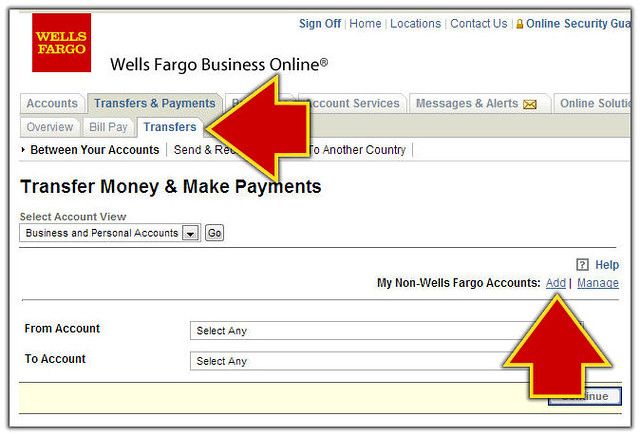
Hey there, curious mind! Ever wondered how to add someone to your Wells Fargo account? You know, like when you're starting a new business with your bestie, or you want your mom to help manage your finances. Well, grab a snack, get comfy, and let's dive into this together. It's like we're hanging out, and I'm walking you through it, step by step.
Why Add Someone to Your Account?
Adding someone to your account is like giving them a key to your financial house. They can help manage bills, transfers, or even check your balance when you're on a beach vacation (not that I'm jealous or anything).
There are two main types of access you can give:
Must Read
- Joint Account Holder: They're fully responsible for the account, just like you are. It's like they're your financial partner in crime.
- Authorized User: They can perform certain tasks, like view transactions or pay bills, but they can't make changes to the account. It's like they're your financial sidekick.
Let's Get Started!
Alright, let's roll up our sleeves and get this done. We'll be using Wells Fargo's online banking. If you're not already logged in, go ahead and do that now. It's like logging into your favorite streaming service, but with more money talk.
Step 1: Find the Right Place
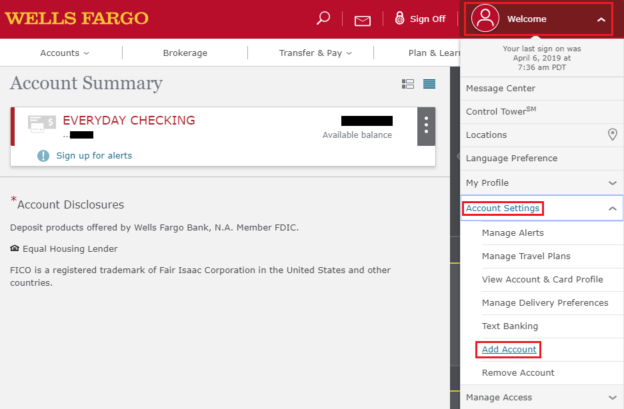
Once you're in, look for the 'Profile' tab. It's usually at the top of the page, next to the search bar. Click on it, and then select 'Add or remove users'. It's like you're inviting someone to your financial party.
Step 2: Choose Your Guest List
You'll see two options here: 'Joint Account Holder' and 'Authorized User'. We talked about these earlier, so pick the one that fits your needs.
 How Do I Add Someone To My Wells Fargo Account
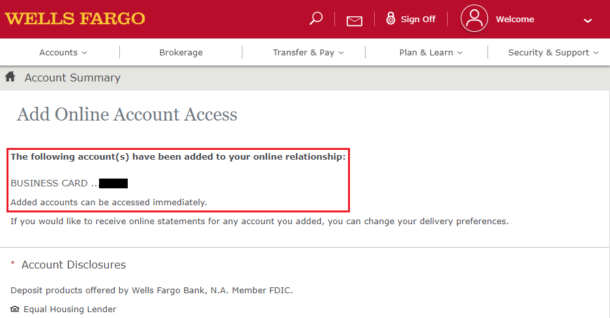
Let's say you choose 'Authorized User'. You'll need to enter their name, email address, and create a user ID and password for them. It's like giving them their own personal invite to your account.
Step 3: Set the Rules
Now, it's time to decide what your new financial buddy can do. You can give them full access, or you can pick and choose. Maybe they can pay bills, but not transfer money. It's like giving them a to-do list, but with more zeros.
Remember, if you add someone as a 'Joint Account Holder', they'll have full access and responsibility. So, choose wisely, friend!
Step 4: Hit Send
Once you've filled out all the details and set the rules, click 'Send Invitation'. It's like hitting 'Publish' on your financial newsletter.
 How Do I Add Someone To My Wells Fargo Account
Your new financial buddy will get an email with their user ID and password. They'll need to accept the invitation and set up their security questions. It's like they're signing a contract, but with fewer legal jargon.
That's a Wrap!
And there you have it! You've just added someone to your Wells Fargo account. It's like you've given them a peek into your financial world, and together, you can manage your money like a dream team.
But remember, adding someone to your account is a big deal. It's like giving them a key to your financial house. So, make sure it's someone you trust, and that you're both on the same financial page.
Now, go forth and conquer your financial goals, together!
