How To Customize Categories In Outlook

Outlook's Hidden Superpower: Customizing Categories Hey there, tech-savvy friend! You know what's the secret sauce to keeping your inbox from turning into a digital dumpster f...
Outlook's Hidden Superpower: Customizing Categories
Hey there, tech-savvy friend! You know what's the secret sauce to keeping your inbox from turning into a digital dumpster fire? Customizing categories in Outlook, that's what! Now, don't go rolling your eyes at me, this isn't your grandma's email client. Let's dive in and make your inbox work for you.
First Things First: What Are Categories?
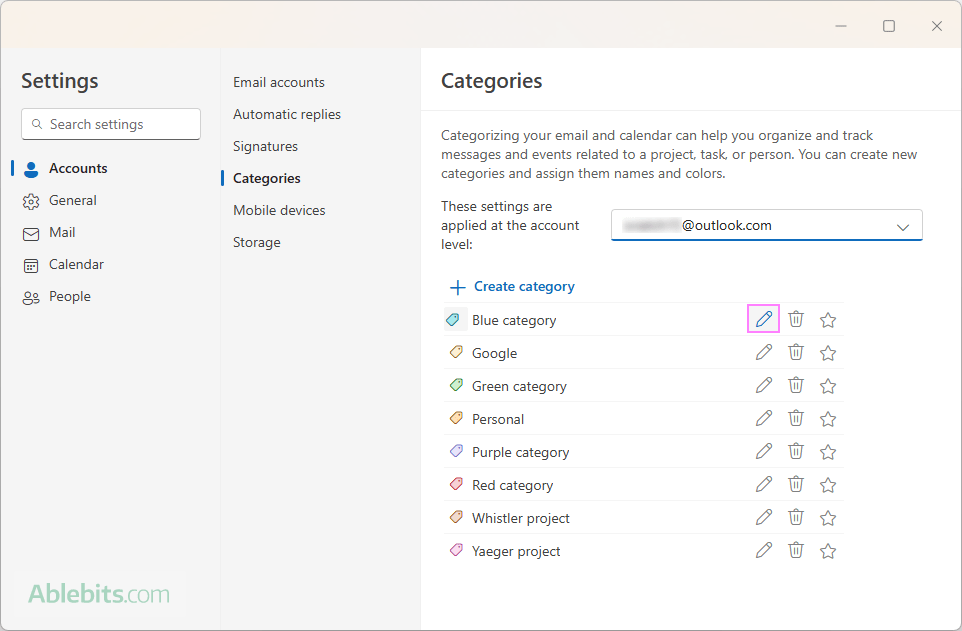
Alright, let's start at the beginning. Categories in Outlook are like your own personal color-coded filing system. You can create your own categories (like 'Work', 'Personal', 'Urgent', etc.) and assign a color to each. It's like giving your inbox a makeover, and trust me, it's way more fun than it sounds.
How To Get The Party Started
Ready to roll up your sleeves and get started? Here's how you do it:
Must Read
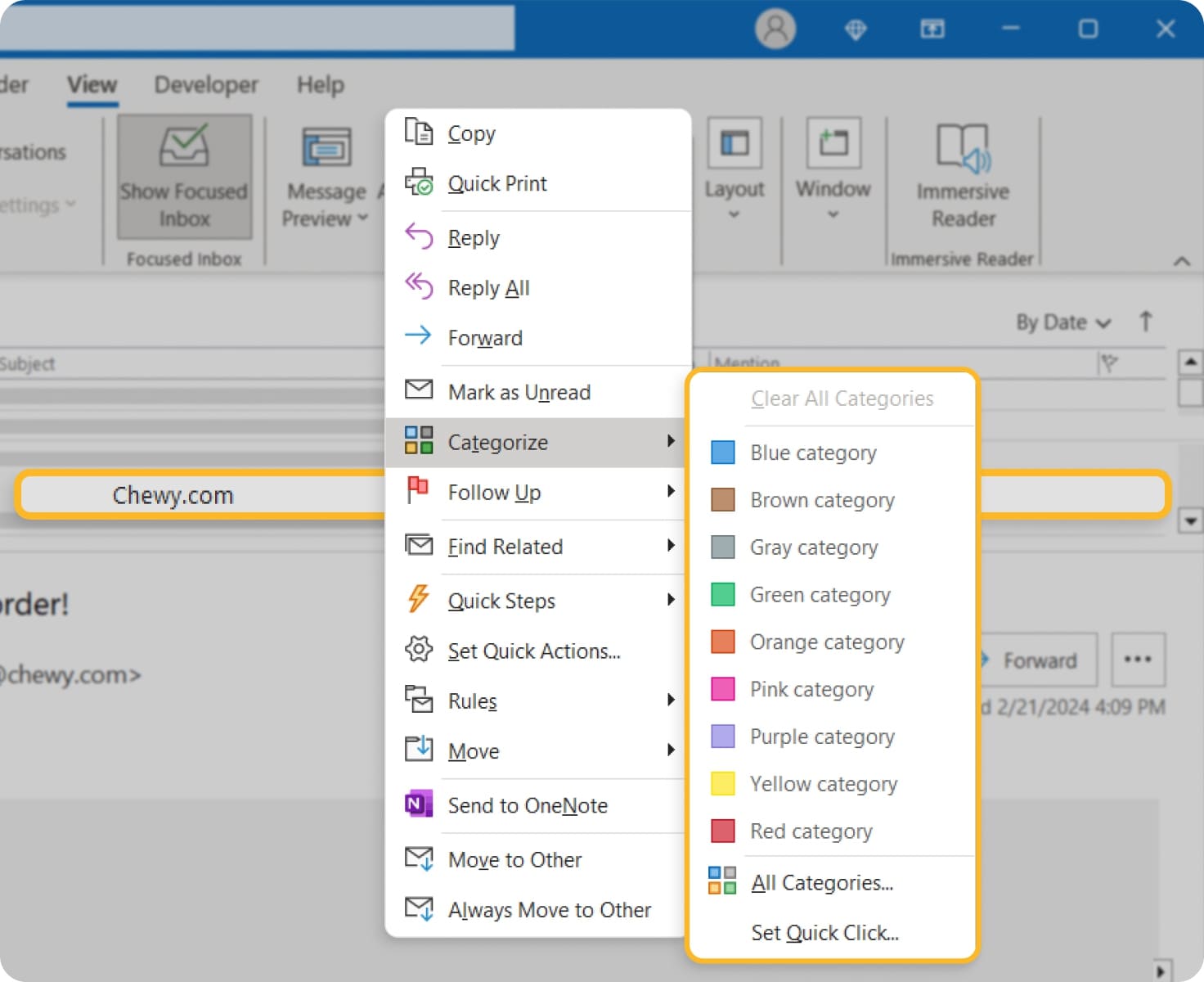
- Open an email, any email. See that little 'Categories' button up there? Click it.
- Now, you've got two choices: you can pick from the pre-set categories, or you can create your own. Let's make it personal and create your own, shall we?
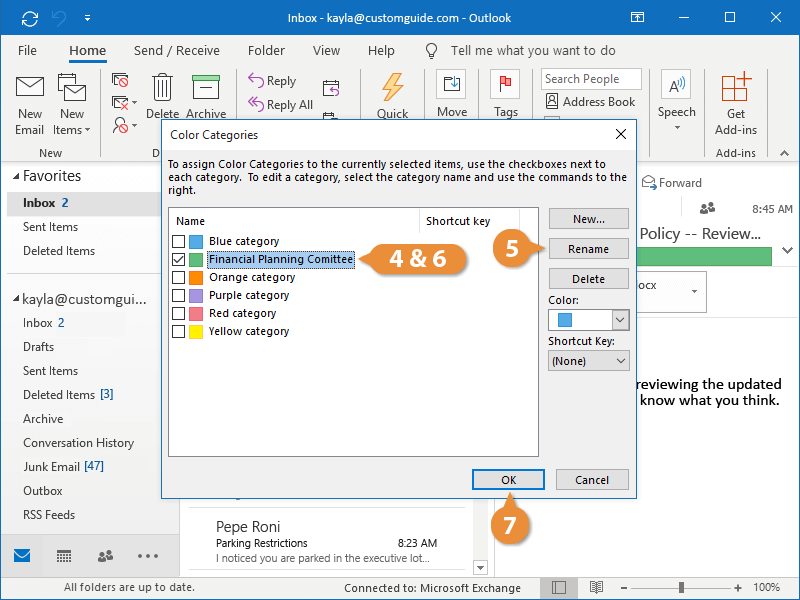
- Click 'All Categories' at the bottom, then 'New'. Give your category a name (like 'Shopping Spree') and pick a color (something bright and cheerful, maybe?). Click 'OK' and voila! Your new category is born.
Now, Let's Get Organized
So, you've created your categories. Great job! Now, let's put them to work. Here's how you can assign a category to an email:
- Open the email, click the 'Categories' button, and pick your category. Easy peasy!
- But wait, there's more! You can also categorize emails en masse. Select the emails you want to categorize, right-click, and pick ' Categorize'. Boom! Done.
And The Grand Finale: Filtering By Category
Now comes the pièce de résistance. You can filter your inbox by category. Here's how:
 Outlook Categories | CustomGuide
- Click the 'View' tab, then 'Per Category'.
- Pick your category, and watch as your inbox transforms into a color-coded wonderland.
Isn't that something? Your inbox, your way. Now, go forth and conquer your email. And remember, every email you categorize is a step towards a cleaner, happier inbox. You've got this!
And hey, if you ever feel like you're in over your head, don't forget, there's a whole world of Outlook tips and tricks out there waiting for you. So, keep exploring, keep learning, and most importantly, keep your inbox colorful and clutter-free. You're a digital organizing rockstar, and don't you forget it!