How To Get Filament Out Of Tube

Hey there, fellow filament wrangler! You've found yourself in the right place if you've ever struggled with that pesky filament that just won't cooperate. Today, we're going t...
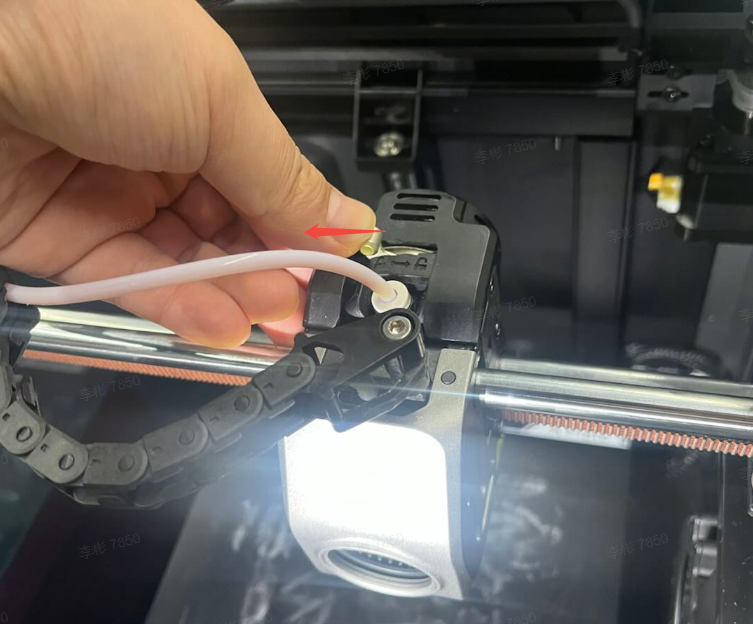
Hey there, fellow filament wrangler! You've found yourself in the right place if you've ever struggled with that pesky filament that just won't cooperate. Today, we're going to tackle the age-old question: how do you get that darn filament out of its tube without losing your cool (or your filament)?
First Things First: The Tools of the Trade
Before we dive in, let's make sure you've got your trusty sidekicks ready. You'll need:
- Your trusty 3D printer filament spool
- A pair of scissors (the sharper, the better)
- Some tape (duct tape, masking tape, or even electrical tape will do the trick)
- optionally, a pair of tweezers for those extra finicky moments
Step 1: The Great Unraveling
Alright, let's kick things off. Start by unrolling a bit of filament from the spool. You want enough to work with, but not so much that it becomes a tangled mess (we'll save that for later).
Must Read
Now, here's where things can get a little... sticky. You might find that the filament is stuck to itself or the tube. Don't worry, we've all been there. Just take a deep breath, grab those scissors, and carefully snip the offending bit. It's like giving a stubborn band-aid a helping hand.
Step 2: The Tape Trick
Next up, we've got a sneaky little trick to keep that filament in line. Grab your trusty tape and tear off a piece. You want it long enough to wrap around the filament a few times, but not so long that it becomes a tangled mess itself.
Now, gently wrap the tape around the filament, starting from the end you snipped earlier. Think of it like a cozy little hug for your filament. This'll help keep it from unraveling and making a break for it while you're trying to load it into your printer.
 How To Get Stuck Filament From 3D Printer at Talitha Williams blog
Step 3: The Final Stretch
Alright, we're almost there! With your filament now securely taped, it's time to load it into your printer. If you're using a direct drive system, you might find that the filament still wants to misbehave. That's where those tweezers can come in handy. Just gently guide the filament into place, like a tiny, plastic sheepdog herding a wayward sheep.
And there you have it! With a little patience and a lot of tape, you've successfully wrangled your filament and loaded it into your printer. High-five yourself, you've earned it!
But Wait, There's More!
Now, you might be wondering, "What do I do with all this extra filament I've unraveled?" Well, my friend, that's where the fun begins. You could use it to create some funky 3D printed art, or even make a custom filament tassel for your spool (because let's face it, your printer deserves a little bling).
 Removing Stuck Filament From PTFE Tubing: A Step-by-Step Guide | Clever
Or, if you're feeling extra adventurous, you could try your hand at making your own filament. It's a bit like making homemade pasta, but with less flour and a lot more plastic. Just remember, safety first! We don't want any molten plastic mishaps.
And That's a Wrap!
So there you have it, folks. With a little bit of tape, a little bit of patience, and a whole lot of filament, you've mastered the art of getting that pesky filament out of its tube. And just like that, you're one step closer to 3D printing greatness.
Now, go forth and print, my friend! The world of 3D printing awaits, and with your newfound filament wrangling skills, there's no stopping you. Happy printing!
