How To Turn Off Auto Update Spotify Pc

Ever found yourself in the middle of a killer playlist, only to have Spotify suddenly decide it's time for a software upgrade? It's like when your favorite TV show goes on a c...

Ever found yourself in the middle of a killer playlist, only to have Spotify suddenly decide it's time for a software upgrade? It's like when your favorite TV show goes on a cliffhanger just as you're about to find out who the murderer is. Annoying, right? Well, fear not, dear music enthusiast. We're here to tell you how to turn off auto update Spotify on your PC, so you can enjoy your tunes without any unwanted interruptions.
Understanding the Auto Update Beast
First things first, let's understand why Spotify wants to update itself in the first place. It's not just being nosy; updates often bring new features, bug fixes, and performance improvements. But sometimes, you just want to keep the party going without any pauses, and that's okay. Spotify respects that, and here's how you can tell it to take a break.
Manual Control: The Power is Yours
Spotify gives you the option to control when you want to update. Here's how you can do it:
Must Read
- Open Spotify on your PC.
- Click on the three horizontal lines (the 'hamburger' menu) in the top left corner.
- Select 'Edit' from the dropdown menu.
- Click on 'Preferences' (or 'Settings' if you're using an older version).
- Under the 'About Spotify' section, uncheck the box next to 'Show me the latest version of Spotify when it's available'.
- Click 'OK'.
And just like that, you've told Spotify to keep its update notifications to itself. Now, you can update it manually whenever you feel like it. But remember, updates are like vegetables - they might not be exciting, but they're good for you in the long run.
Fun Fact: Spotify's Got Rhythm
Did you know that Spotify was launched in 2008, and it took the world by storm with its innovative music streaming service? It's like the Netflix of music, bringing us all the tunes we could ever want, right to our fingertips. And with over 365 million monthly active users, it's safe to say that Spotify has become a cultural phenomenon.
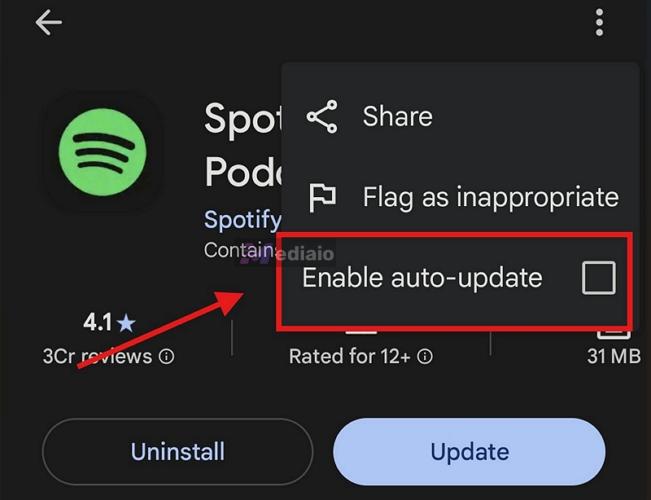
 How To Disable Spotify Auto-Update (How To Stop Spotify Auto-Update
From Billie Eilish to Bach, Spotify has something for everyone. It's even got playlists for every mood and occasion. Need to focus? There's a playlist for that. Want to relax? There's a playlist for that too. And with its personalized playlists like 'Discover Weekly' and 'Release Radar', Spotify is like your own personal DJ, always ready to spin your favorite tracks.
Reflection: Music is Life's Soundtrack
Music is more than just noise; it's the soundtrack of our lives. It's there when we're happy, when we're sad, when we're dancing, and when we're thinking. It's a constant companion, a comfort, and a source of joy. So, whether you're updating Spotify or not, make sure to take some time to appreciate the music that makes your life's playlist so unique.
 Spotify Lyrics Not Showing: Reasons and Fixes
And remember, just like music, life is full of updates. Some we choose, some we don't. But it's all part of the journey. So, go ahead, hit play, and let the music guide you through your day. After all, life's a playlist, and you're the DJ.
Until next time, keep your groove on and your updates off. Happy listening!
