How To Set Up A Printer Server

Alright, gather 'round, folks. I've got a tale to tell about a printer server. Now, I know what you're thinking, "A printer server? That sounds about as exciting as watching p...
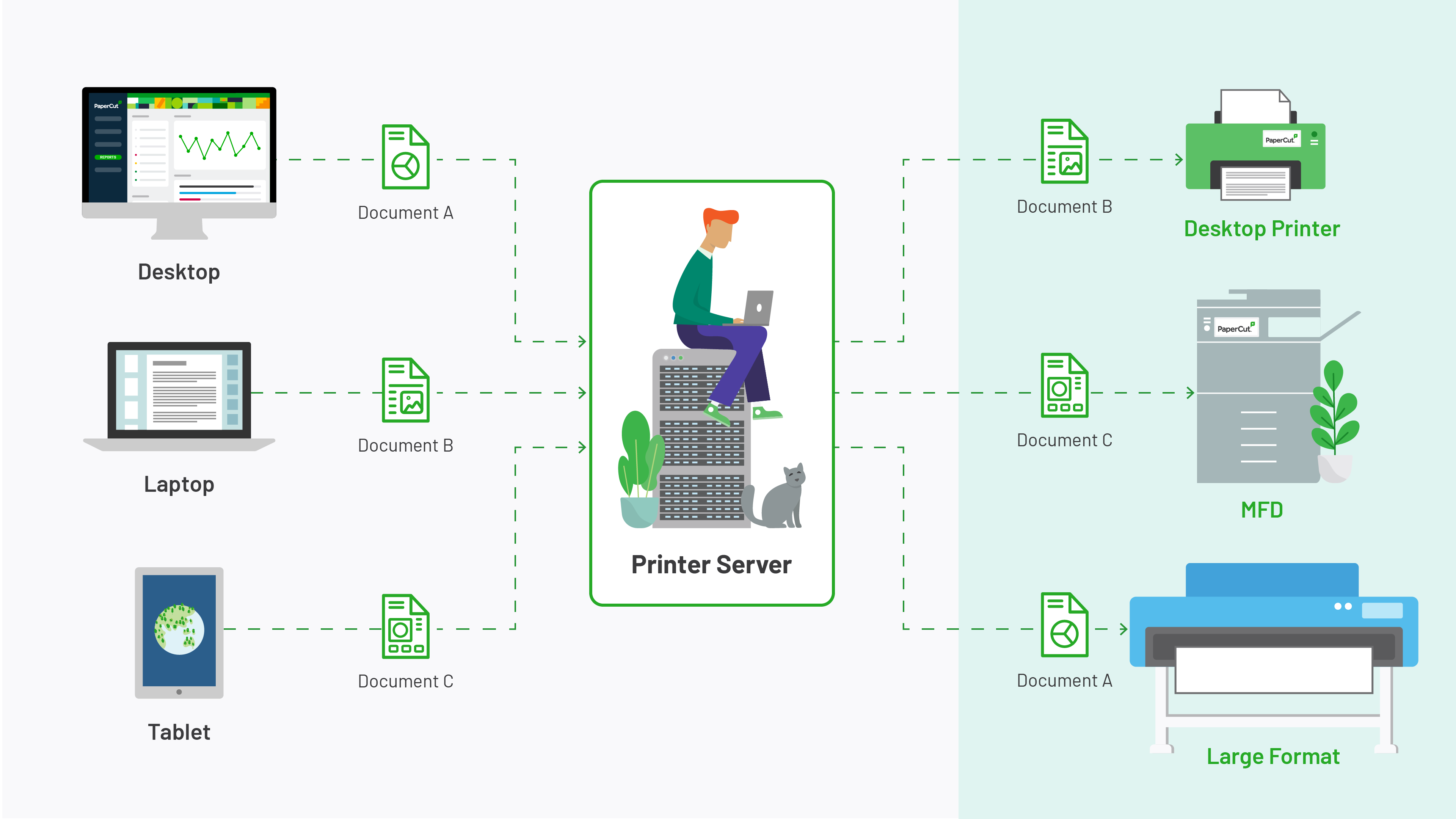
Alright, gather 'round, folks. I've got a tale to tell about a printer server. Now, I know what you're thinking, "A printer server? That sounds about as exciting as watching paint dry." But hold onto your hats, because this is no ordinary printer server story. We're talking about a printer server that's so awesome, it'll make your current setup look like it's stuck in the dark ages. So, grab a coffee, get comfy, and let's dive in.
First Things First: What's a Printer Server?
Imagine you're in a busy office. You've got a printer, but everyone's fighting over it like it's the last slice of pizza. That's where a printer server comes in. It's like the office manager, making sure everyone gets their turn and nothing goes to waste. It's connected to your network, so any computer can send a job to the printer, and it's all managed in a neat, orderly fashion. No more printer hogs!
Let's Get Started: The Gathering
First, you'll need to gather your troops. No, not your colleagues (although, if you can rally them, more power to you). I'm talking about your hardware and software. You'll need a computer to act as the server, a printer (obviously), and some software to manage it all. I recommend CUPS (Common Unix Printing System), because it's free, open-source, and it's got a name that sounds like it should be in a Harry Potter movie.
Must Read
Now, before you start, let's address the elephant in the room. Yes, you could just buy a printer with a server built-in. But where's the fun in that? This way, you get to feel like a tech genius, and you can save some cash for more important things, like coffee or cat treats.
Bonus Round: The Printer Server Olympics
While you're gathering your gear, why not make it a game? See who can find the oldest, most obscure printer in the office. The one that's been gathering dust in the corner since the dawn of time. The winner gets to be the official printer server installer. Loser has to buy the coffee. You're welcome.
Setting Up Shop: The Server
Alright, let's get this show on the road. First, you'll need to install your chosen operating system on your server computer. Now, I'm not here to start a war, but I've got to say, Linux is your friend here. It's free, it's open-source, and it's got a name that sounds like it should be in a fantasy novel. Plus, it's got a mascot that's a penguin. How cool is that?
 How To Manually Install Your Print Server Windows and MacOS - PM1115UW
Once your OS is installed, it's time to install CUPS. It's as easy as typing a few commands into the terminal. If you're feeling fancy, you can even do it with a GUI. But where's the fun in that? Embrace the command line, my friend. It's like learning a secret language. And who knows, you might even impress your friends with your newfound skills.
Connecting the Dots: The Printer
Now, let's connect your printer. Plug it into your server, turn it on, and let CUPS do its magic. It should detect it automatically. If not, don't panic. CUPS has a handy tool to help you add it manually. It's like a puzzle, and you're the detective. And who doesn't love a good puzzle?
Once your printer is connected, it's time to share it with the world. Or at least, your office. In CUPS, you can set up user accounts, quotas, and even restrict access to certain printers. It's like being the bouncer at the coolest club in town. But instead of checking IDs, you're checking print jobs.
 Vhamacprtom01 Print Server – How to Setup a Print Server on Windows
Pro Tip: The Art of Naming
When you're setting up your printer, make sure to give it a name that's easy to remember. "Printer" is so last year. How about something like "The Ink Slinger" or "Paper Pusher 3000"? Make it something that'll make your colleagues chuckle and your printer server the talk of the town.
Testing, Testing: The Big Reveal
Alright, the moment of truth. It's time to test your printer server. Send a print job from a computer on the network. If everything's working, you should hear the printer spring to life. It's like hearing your baby's first words. Okay, maybe not that big a deal. But still, it's pretty satisfying.
And there you have it, folks. Your very own printer server. You've saved money, you've learned new skills, and you've made your office a happier, more productive place. Now, go forth and print in peace. And remember, if anyone asks, you did it all by yourself. Your secret's safe with me.
